请使用QQ关联注册PLM之家,学习更多关于内容,更多精彩原创视频供你学习!
您需要 登录 才可以下载或查看,没有账号?注册
×
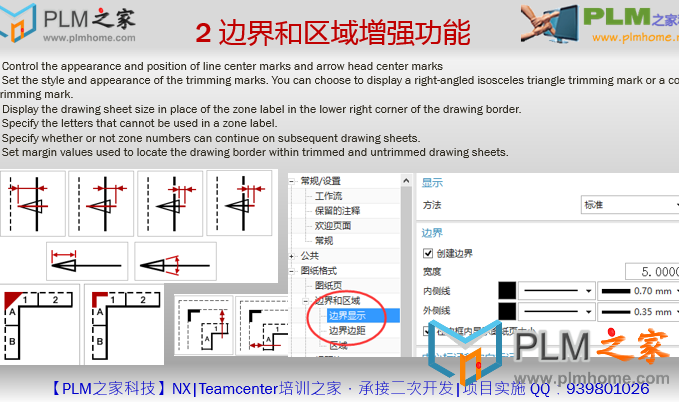
【PLM之家NX10.0制图新功能】2 边界和区域增强功能0 r; e/ I4 a% O0 t
◦Controlthe appearance and position of line center marks and arrow head center marks ◦Set the style and appearance of thetrimming marks. You can choose to display a right-angled isosceles triangletrimming mark or a corner trimming mark. ◦Display the drawing sheet size in placeof the zone label in the lower right corner of the drawing border. ◦Specify the letters that cannot be usedin a zone label. ◦Specify whether or not zone numbers cancontinue on subsequent drawing sheets. ◦Set margin values used to locate thedrawing border within trimmed and untrimmed drawing sheets.
0 \/ `1 G8 g% ~3 v2 ]/ a3 E
2 边界和区域增强功能
1 U+ E8 a( l2 J* X2 W! D A |




 发表于 2014-12-27 18:49:24


 发表于 2014-12-27 21:10:48